How AI-Enhanced Prototyping
How AI-Enhanced Prototyping Speeds Up Physical Product Iterations
If you build physical products, you know the cycle can be slow and expensive. AI-enhanced prototyping helps you test more ideas faster, so you spend less time guessing and more time improving real parts.
The main keyword here is AI-enhanced prototyping. It helps both professionals and hobbyists create prototypes and iterate with fewer rounds of rework.
What “AI-Enhanced Prototyping” Really Means
AI-enhanced prototyping means using AI to speed up key steps in product design and iteration. That can include making better design options, helping you plan changes, and running tests sooner.
A big piece of this is generative design, which uses AI and algorithms to create multiple alternatives based on inputs and constraints. You can see this idea clearly in the way major CAD vendors describe generative design in their workflows: https://www.autodesk.com/solutions/generative-design/manufacturing and https://www.siemens.com/en-us/technology/generative-design/
Where AI Streamlines Physical Product Iterations
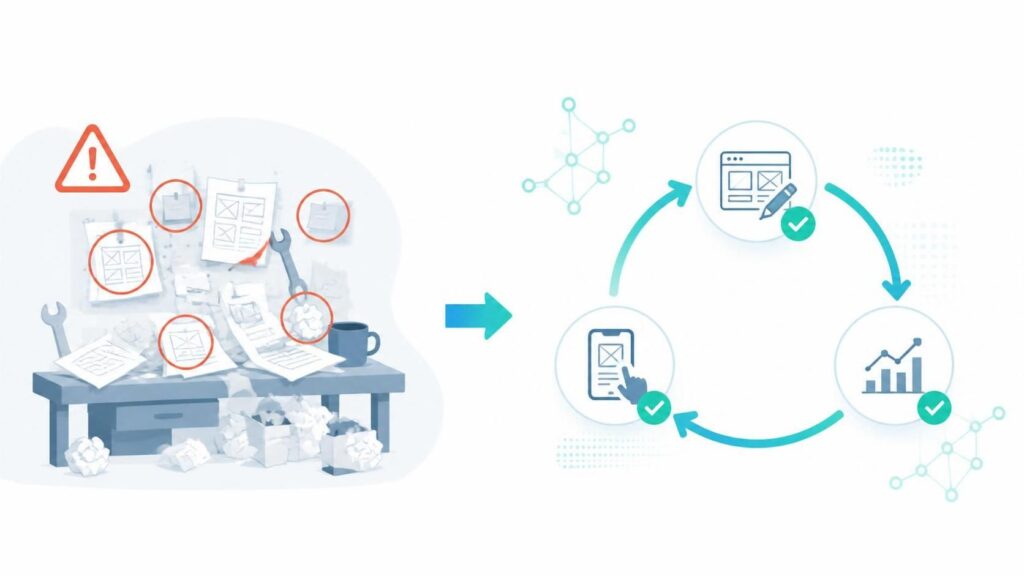
AI can cut time in the places where projects usually slow down. Instead of starting from scratch every time, you use AI to move faster between versions.
Here are common bottlenecks AI helps with:
- Faster first drafts: AI can help you generate multiple design options from your goals, so you start testingsooner.
- Quicker “what if” changes: You can explore changes before you build again.
- Smarter iteration planning: AI can help you decide what to test next based on your constraints and whatyou learn.
- Less rework: You catch design problems earlier, when fixes are cheaper.
- Better design comparisons: AI can produce multiple alternatives so you can pick the best direction for thenext prototype.
This “create more options, evaluate, then choose” approach is exactly what generative design is meant to do in CAD systems. It’s designed to generate and evaluate options based on your rules, then help you pick what to develop further: https://www.siemens.com/en-us/technology/generative-design/ Siemens
A Simple Workflow for AI-Enhanced Prototyping
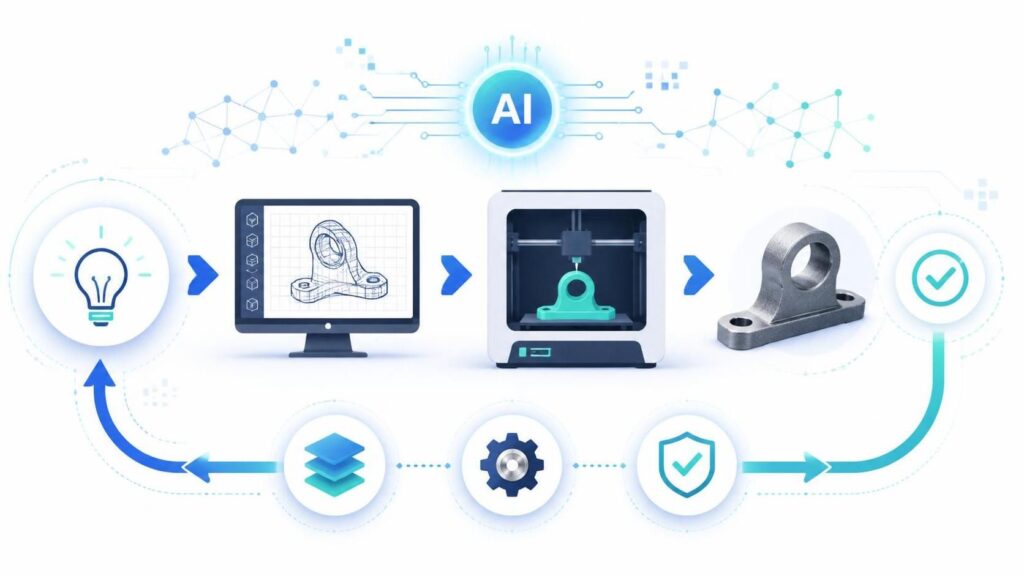
You don’t need a complicated setup to benefit. A simple loop can still make your iterations feel smoother.
- Define the goal for the next prototype. Pick what you want to improve (strength, cost, weight, fit, or easeof manufacturing).
- Generate a few options quickly. Use AI/generative design tools to explore variations based on yourconstraints.
- Choose the best 1–3 options. Pick the ones that look promising and match your practical limits.
- Prototype and test. Build the parts and gather real results.
- Feed the results back into the next run. Use what you learned to adjust constraints and generate improvedversions.
Generative design tools are built for this cycle: define constraints, generate alternatives, evaluate, and iterate faster. The Autodesk and Siemens descriptions both emphasize these parts of the process: https://www.autodesk.com/solutions/generative-design/manufacturing and https://www.siemens.com/en-us/technology/generative-design/
AI Tools That Support Physical Prototyping
People often search for “AI prototyping workflow” because they want practical tools, not vague promises. Common categories include:
- AI-assisted CAD and generative design
- Design optimization based on constraints
- Simulation and analysis (when available)
- Documentation helpers to keep your changes organized
For example, Fusion generative design is described as a cloud-based way to create multiple design alternatives using defined constraints and manufacturing methods. You can read Autodesk’s overview here: https://www.autodesk.com/solutions/generative-design/manufacturing autodesk.com
Why Professionals and Hobbyists Want Workflow Shortcuts
This topic pulls high interest because iterating physical products is hard. Builders get stuck on repeated tasks like redesigning, comparing options, and figuring out what to try next.
Professionals search because they need speed without losing engineering quality. Hobbyists search because they want to test ideas without spending months learning every detail.
That’s why AI-enhanced prototyping is attractive: it reduces the “wait time” between versions and helps you move forward with more confidence.
AI Tools That Support Physical Prototyping
People often search for “AI prototyping workflow” because they want practical tools, not vague promises. Common categories include:
- AI-assisted CAD and generative design
- Design optimization based on constraints
- Simulation and analysis (when available)
- Documentation helpers to keep your changes organized
For example, Fusion generative design is described as a cloud-based way to create multiple design alternatives using defined constraints and manufacturing methods. You can read Autodesk’s overview here: https://www.autodesk.com/solutions/generative-design/manufacturing autodesk.com
The Benefits You’ll Notice First
When AI helps your prototyping workflow, you usually see results quickly. Most people notice:
- Faster iteration cycles (less time between prototypes)
- More design options to compare
- Earlier problem spotting before you waste materials
- Lower cost of change because mistakes get found sooner
- Less stress because the next step feels clearer
Generative design is often promoted as a way to create and simulate many alternatives in less time, which directly supports quicker iteration: https://www.siemens.com/en-us/technology/generative-design/ Siemens

Conclusion: Prototype Faster With AI-Enhanced Prototyping
AI-enhanced prototyping helps you streamline the steps that slow down physical product iterations. It works by creating more options faster, guiding evaluation, and helping you repeat the cycle with less wasted effort.
Start simple: define your goal, generate alternatives, test what you choose, then improve the next prototype using what you learned.
Related search terms to sprinkle in naturally across your blog can include “AI prototyping workflow,” “AI for product design iteration,” and “AI tools for CAD and prototyping.”