3D Modeling: Tomorrow’s Industry Game Changer
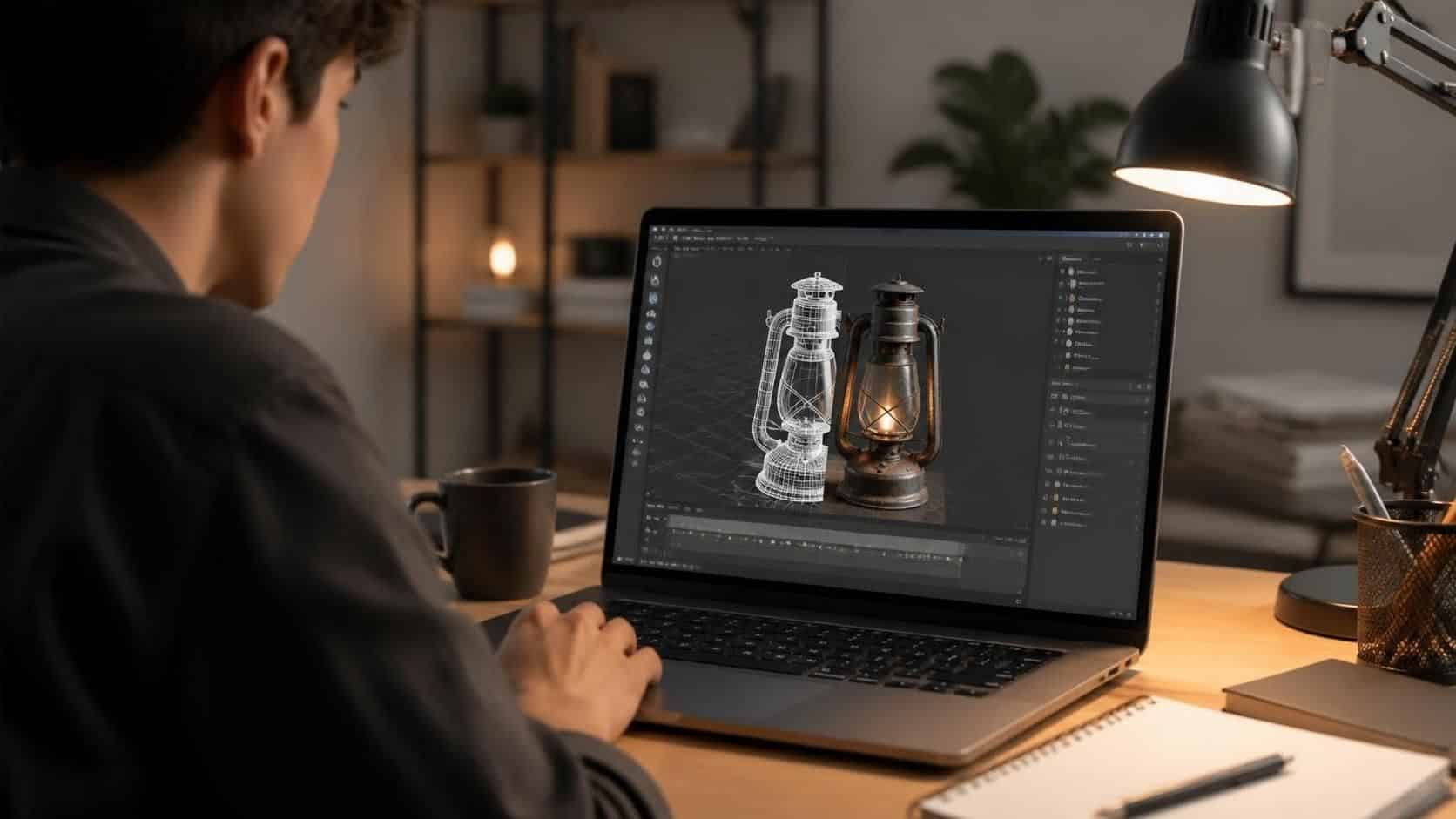
3D modeling is tomorrow’s industry game changer because it helps teams design faster, visualize better, and test ideas before they cost real money. From manufacturing and architecture to healthcare and gaming, 3D models turn complex ideas into clear, usable visuals.
What is 3D modeling?
3D modeling is the process of building a digital, three-dimensional version of an object or scene. You create the shape, add textures, and then render it into images or animations.
It matters because 2D drawings can miss details. A 3D model shows what something looks like from different angles and helps people make smarter decisions.
Why 3D modeling is changing major industries
Teams use 3D modeling to reduce guesswork and speed up work. When you can see a design early, you can fix problems sooner.
Here are some big ways it helps:
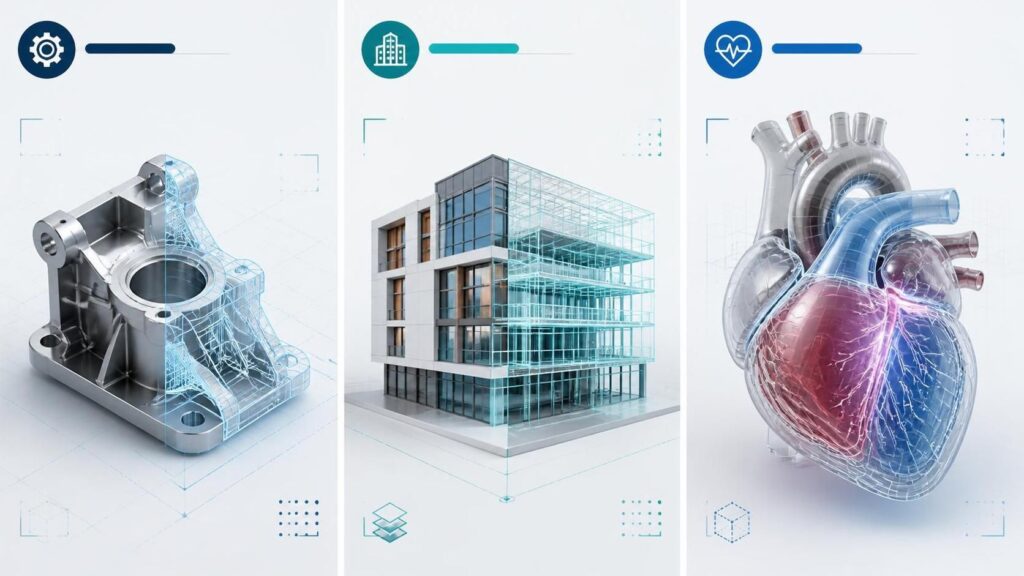
- Manufacturing: test prototypes virtually before building them
- Architecture: plan buildings with fewer surprises during construction
- Healthcare: map patient anatomy for safer surgery planning
- Entertainment: build realistic characters, sets, and visual effects
The main benefits (in plain terms)
3D modeling brings practical wins, not just “cool pictures.”
- Faster product development: iterate quickly and improve designs sooner
- Better visualization: stakeholders understand the idea faster
- Lower costs: reduce physical prototypes and rework
- More customization: adapt designs to specific needs and users
- Smarter collaboration: everyone can view the same model
Simple workflow to start 3D modeling (step-by-step)
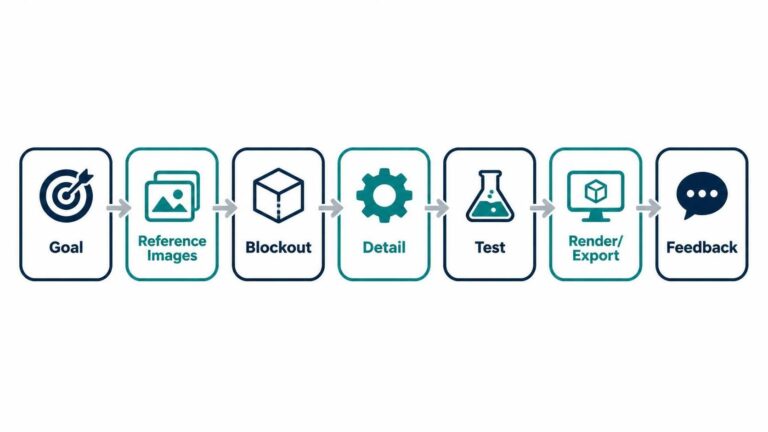
If you want to use 3D modeling for real work, follow this simple path:
Pick your goal
Decide what you’re building: a product, a room, a character, or a concept scene.Collect reference images
Use photos, sketches, or measurements so your model matches what you want.Block in the main shape
Start with basic geometry. Get the form right before adding fine details.Add detail and refine
Improve edges, surfaces, and proportions. Then build textures and materials.Test and adjust
Rotate the model, check scale, and look for problem areas.Render or export
Create images or animations, or export files for printing, sharing, or review.Get feedback and improve
Show your model to others and update it based on what they notice.
Where 3D modeling is used right now
Manufacturing and product development
Manufacturers use 3D CAD models to design parts and test them before production. That helps reduce time-to-market and lowers prototype costs.
A common approach is to design, simulate, and then build. If something needs changes, you adjust the digital model instead of starting over with hardware. Learn more about CAD and modeling basics from Autodesk.
Architecture and construction (BIM)
In architecture, teams use Building Information Modeling (BIM) to connect design with real project data. That can include materials, timelines, and costs.
BIM helps teams coordinate better and spot issues earlier. A helpful starting point is buildingSMART’s overview of BIM.
Healthcare and medicine
Healthcare teams can use 3D models made from medical scans to plan procedures. In some cases, they also support custom implants and prosthetics.
To understand the role of 3D in healthcare imaging, see the overview from NIH (National Institutes of Health) by searching for 3D imaging or related terms in their health resources.
Entertainment and gaming
Game studios use 3D models for characters, props, and environments. Film and VFX teams use them to create scenes that are too expensive or impossible to film in real life.
If you’re curious about how 3D tools are used in production workflows, Blender’s documentation is a practical place to start: Blender Manual.
What’s next for 3D modeling
The future is moving toward faster tools and smarter workflows. More teams are using:
- AI-assisted design ideas (faster iterations)
- 3D printing for prototypes (turn models into real parts)
- digital twins (connect models to real-world data)
If you want to explore the basics of digital twins, IBM’s guide is a solid reference: IBM Digital Twin.
Key challenges you should plan for
3D modeling can be easier than it used to be, but it still has hurdles.
- Learning curve: tools take practice to master
- Real-world accuracy: simulations may not perfectly match reality without good inputs
- Tool and file complexity: projects can require clean workflows
The good news is that starting with simple models helps you build skills quickly.
3D modeling is tomorrow’s industry game changer because it turns ideas into clear visuals that teams can test, improve, and share fast. Start small, follow a simple workflow, and use your first project to build confidence.
If you want, tell me what you want to model (product, room, character, or medical-style concept), and I’ll suggest a beginner-friendly tool and a first-project plan.